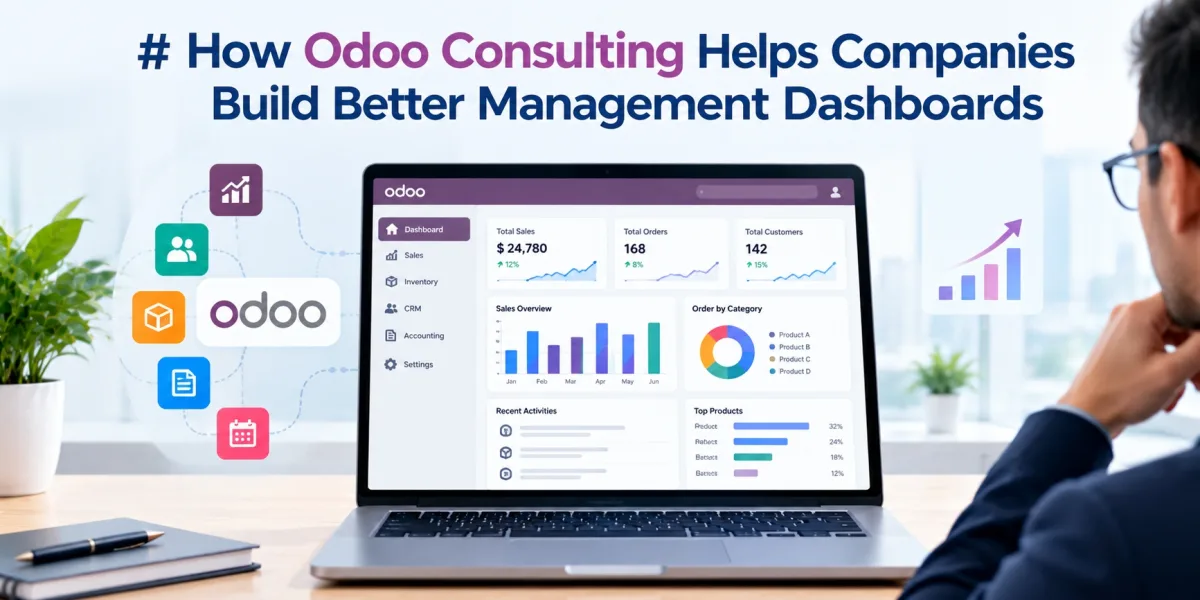
According to a 2024 industry study, organizations continue to increase their investments in data analytics and business intelligence. Gartner also projected worldwide IT spending to reach approximately $5.26 trillion in 2024. These figures highlight the growing role of technology in business management. However, collecting data does not automatically improve decision-making. Poorly designed dashboards can confuse users and hide important business problems. Managers may struggle to identify declining sales, rising costs, delayed orders, or cash flow risks.
Odoo offers integrated business applications that support reporting across departments. Its dashboard capabilities can help companies monitor key performance indicators, review trends, and track daily operations. Businesses can also customize reports according to their goals and workflows. Building an effective dashboard requires more than adding charts to a screen. Companies must select meaningful metrics, validate data, define access rights, and organize information carefully. Odoo Consulting Services help businesses plan and configure dashboards around practical management needs. An experienced Odoo Consulting Company can also improve reporting accuracy and connect dashboard data with business goals.
Understanding Management Dashboards in Odoo
A management dashboard presents important business information in one accessible view. It helps decision-makers review performance without checking multiple reports separately.
What Is an Odoo Management Dashboard?
An Odoo management dashboard displays selected business metrics from connected applications. Depending on the installed applications and configuration, it can show sales, revenue, expenses, inventory, purchasing, and operational data.
For example, a sales manager may track monthly revenue and quotation conversion rates. An inventory manager may monitor stock levels and pending deliveries.
A finance manager may review outstanding invoices and cash flow indicators. Each dashboard should reflect the responsibilities of its intended users.
Odoo supports several reporting methods, including list views, pivot tables, graph views, spreadsheets, and application-specific reports. Available features depend on the Odoo version, installed applications, and configuration.
Why Businesses Need Better Dashboards
Many companies rely on spreadsheets and manually prepared reports. Employees often spend hours collecting information from different departments.
This process can delay decisions and create inconsistent figures. Different teams may also use different definitions for the same metric.
A well-designed dashboard helps solve these problems by presenting agreed metrics consistently. It also makes unusual changes easier to identify.
Key benefits include:
- Faster access to business information
- Better visibility into operational performance
- Improved tracking of targets and budgets
- Earlier identification of business problems
- Reduced dependence on manual reporting
- More consistent management discussions
Dashboards do not replace detailed analysis or professional judgment. They help managers identify where further investigation may be necessary.
Identify Business Goals Before Building Dashboards
The first step involves understanding what managers need to measure. A dashboard should support specific business decisions rather than display every available metric.
1. Define the Main Management Questions
Start by identifying the questions each department needs to answer. These questions help determine which metrics belong on the dashboard.
For example, sales managers may ask:
- Are sales increasing each month?
- Which products generate the most revenue?
- How many quotations become confirmed orders?
- Which sales representatives need support?
Inventory managers may focus on different questions:
- Which products face stock shortages?
- How much inventory remains unused?
- Which deliveries are delayed?
- When should the company reorder products?
Finance managers may need answers about overdue invoices, expenses, and profit margins.
Consultants can interview department heads and review existing reports. They can then connect each business question with a suitable metric.
2. Set Clear Dashboard Objectives
Every dashboard should have a defined purpose. Avoid combining unrelated metrics without a clear reason.
For example, a management dashboard may focus on overall company performance. Separate dashboards can provide deeper views for sales, finance, inventory, and operations.
This structure helps users find relevant information quickly. It also reduces clutter and supports role-based reporting.
Select the Right Key Performance Indicators
Key performance indicators, or KPIs, measure progress toward business objectives. The right KPIs help managers understand performance and identify areas requiring attention.
1. Choose KPIs for Each Department
Different departments require different measures. Consultants should select KPIs that match each team's responsibilities.
Sales KPIs may include:
- Total sales revenue
- Monthly sales growth
- Quotation conversion rate
- Average order value
- Sales target achievement
- Revenue by product or customer
Inventory KPIs may include:
- Stock availability
- Inventory turnover
- Low-stock product count
- Order fulfillment time
- Delivery delays
- Slow-moving inventory value
Accounting KPIs may include:
- Outstanding receivables
- Overdue invoice value
- Operating expenses
- Cash flow position
- Gross profit margin
- Budget variance
Purchasing KPIs may include:
- Purchase order value
- Supplier delivery time
- Purchase cost changes
- Pending purchase orders
- Supplier performance
Not every company needs all these indicators. Select metrics according to business size, industry, and management priorities.
2. Define Each KPI Clearly
A KPI needs a consistent definition. Without one, different departments may calculate the same metric differently.
For example, sales growth may compare the current month with the previous month. Another company may compare current sales with the same month last year.
Both approaches can provide useful information. However, managers must understand which calculation the dashboard uses.
Document the formula, data source, reporting period, and responsible owner for each KPI. This creates consistency across reports.
Connect Data From Different Odoo Applications
Odoo's integrated applications provide a useful foundation for cross-department reporting. However, dashboard accuracy depends on correct application configuration and data relationships.
1. Connect Sales and CRM Data
The Sales and CRM applications can help managers monitor customer activity and sales performance. Reports may include leads, opportunities, quotations, and confirmed orders.
For example, a dashboard may show 500 leads and 100 confirmed orders. Managers can review the conversion process and identify stages that need improvement.
The team can also compare sales performance across products and customer groups. These insights help managers plan sales activities.
Before building the dashboard, define the correct sales stages and reporting dates. Inconsistent pipeline stages can produce misleading results.
2. Connect Inventory and Purchasing Data
Inventory and purchasing reports help managers monitor stock movement and supplier activity. They can show available quantities, pending receipts, and outstanding deliveries.
For example, a company may experience repeated stock shortages for popular products. A dashboard can highlight low-stock items and delayed purchase orders.
Managers can then review supplier lead times and replenishment settings. They can also identify excess stock that ties up working capital.
Inventory metrics require accurate stock movements. Employees must record receipts, transfers, deliveries, and adjustments correctly.
3. Connect Accounting Data
Accounting dashboards help managers review invoices, expenses, payments, and financial performance. They can provide visibility into receivables and outstanding obligations.
For example, a dashboard may show that overdue invoices increased by 20% during the quarter. Finance managers can investigate payment delays and contact affected customers.
Accounting figures require correct tax, account, and journal settings. Consultants should validate reports against approved accounting records before deployment.
Customize Dashboards for Different Management Roles
A single dashboard rarely meets every department's needs. Managers require different information based on their responsibilities and decisions.
1. Build an Executive Dashboard
Executives need a high-level view of company performance. Their dashboard should highlight major trends and business risks.
Useful indicators may include:
- Total revenue
- Gross profit
- Operating expenses
- Cash position
- Sales target progress
- Inventory value
- Outstanding customer payments
Keep the executive dashboard focused. Detailed transaction lists can remain available through linked reports.
For example, a director may notice declining revenue despite stable order volumes. The director can then open a detailed sales report to investigate pricing or product mix.
2. Build Department Dashboards
Department managers need more operational detail. A sales dashboard may show individual targets and quotation performance.
An inventory dashboard may highlight stock shortages and delayed deliveries. A finance dashboard may focus on payment status and budget differences.
Each dashboard should support actions within the user's role. Avoid displaying information that users do not need.
3. Use Filters and Drill-Down Reports
Filters help users examine data by date, product, salesperson, warehouse, or customer. Drill-down reports allow users to move from summary figures to detailed records.
For example, a manager may see that monthly revenue declined. The manager can filter by product category and sales region.
This reveals whether the decline affects one product or the entire business. Users can then investigate the relevant orders.
Odoo reporting views support different grouping and filtering options. Custom dashboards may require extra configuration or development.
Use Charts and Visuals That Explain Data Clearly
Charts help managers recognize patterns faster than large tables. However, the selected chart must suit the information.
1. Choose Suitable Chart Types
Different charts answer different questions.
- Line charts: Show changes over time.
- Bar charts: Compare products, teams, or regions.
- Pie charts: Show simple parts of a whole.
- Tables: Present detailed values and transaction lists.
- KPI cards: Highlight a small number of important metrics.
For example, a line chart can show monthly sales trends. A bar chart can compare revenue across product categories.
Avoid adding charts simply to make the dashboard look attractive. Every visual should help users understand a business result.
2. Keep the Layout Simple
Place the most important indicators near the top. Group related metrics together and use clear titles.
Use consistent date ranges and number formats. Show currency symbols where financial figures appear.
Limit unnecessary colors and decorative elements. Use clear visual signals to highlight risks, targets, and important changes.
A dashboard should help managers understand performance quickly. Too many charts can make important information harder to find.
Improve Dashboard Accuracy With Better Data Quality
A dashboard cannot provide reliable insights when its source data contains errors. Data quality should remain a priority throughout implementation.
1. Clean Existing Business Records
Review duplicate customers, incomplete product details, and inconsistent categories. Correct invalid records before building important reports.
For example, duplicate customer entries may divide sales figures across several records. Managers could then underestimate the customer's total value.
Standardize product names, units of measure, and customer identifiers. Establish rules for creating and updating records.
2. Check Data Sources and Calculations
Every dashboard metric should use the correct source. Consultants should verify that reports include the intended records and exclude unrelated transactions.
For example, a revenue dashboard must distinguish confirmed sales from quotations. Otherwise, it may report potential revenue as completed business.
Accounting reports also require careful treatment of posted and draft entries. Define the reporting rules before users rely on the dashboard.
3. Set a Data Ownership Process
Assign responsibility for maintaining important records. Sales teams may own customer details, while inventory teams manage stock movements.
Finance teams should manage accounting entries and financial reporting rules. Clear ownership helps teams correct errors quickly.
Review data quality regularly. Dashboards can also help identify missing values and unusual changes.
Automate Reports and Routine Management Tasks
Manual reporting consumes time and creates repeated work. Odoo can reduce some reporting tasks through built-in features, scheduled actions, and approved custom development.
1. Schedule Regular Reports
Businesses may need daily sales summaries or weekly inventory reports. Depending on the Odoo version and installed features, users can schedule or distribute reports through supported options.
For example, managers may receive a weekly sales report before their review meeting. Finance teams may use regular summaries to monitor overdue invoices.
Choose a reporting schedule that matches business needs. Sending too many reports can cause users to ignore important information.
2. Use Alerts for Important Changes
Some business events need quick attention. Examples include low stock, overdue payments, and sales performance below target.
Odoo supports various automated actions and notifications, depending on the application and configuration. Developers can add custom alerts when standard features do not meet requirements.
For example, a company may notify a purchasing manager when a product reaches its reorder threshold. A finance team may receive reminders about overdue invoices.
Set clear conditions for every alert. Poorly designed alerts can generate unnecessary messages and reduce user attention.
Protect Dashboard Data With Access Controls
Management dashboards may display sensitive financial and customer information. Access rules should match each user's responsibilities.
1. Apply Role-Based Access
Odoo provides access rights and record rules to control what users can access. Administrators should configure these controls before sharing dashboards.
For example, a sales representative may view personal sales results. A sales manager may need team-level figures.
Finance employees may require access to accounting reports that other departments should not see. These differences should guide dashboard permissions.
2. Test User Access
Test dashboards with representative user accounts. Confirm that each user sees the correct records and metrics.
Check exports, linked reports, and drill-down actions as well. A dashboard may hide a figure while the underlying report remains accessible.
Review access rights whenever employees change roles. Remove access promptly when staff leave the organization.
Common Dashboard Problems and How to Avoid Them
Poor planning can reduce the value of management dashboards. Companies should address common problems before expanding dashboard use.
1. Tracking Too Many KPIs
Too many indicators create clutter and weaken focus. Select a small set of metrics that support clear management decisions.
Add detailed metrics to department dashboards when necessary. Keep executive views focused on overall performance.
2. Using Incorrect Reporting Periods
Different date ranges can produce confusing comparisons. Define whether reports use calendar months, financial periods, or rolling time windows.
Display the selected period clearly. Test comparisons before sharing them with management.
3. Ignoring User Feedback
A dashboard may appear useful during development but fail during daily work. Managers may need different filters or more useful drill-down options.
Collect feedback from real users. Review how they use the dashboard and update it as business needs change.
4. Failing to Maintain Dashboards
Business processes and reporting needs change over time. New products, warehouses, and accounting rules may affect existing reports.
Assign an owner to each dashboard. Review its metrics, access rights, and accuracy at regular intervals.
How Odoo Consulting Services Help Build Better Dashboards
Dashboard projects often require business analysis, technical configuration, data review, and user training. Consultants help connect these activities into a practical implementation plan.
Odoo Consulting Services can help businesses identify useful KPIs and define reporting requirements. Consultants can also review existing Odoo applications and data structures.
An experienced Odoo Consulting Company can support several tasks:
- Reviewing current management reports
- Defining KPIs for each department
- Configuring standard Odoo reporting views
- Building customized dashboards where needed
- Improving data quality and reporting rules
- Setting up suitable access rights
- Creating alerts and scheduled reports
- Testing calculations and dashboard filters
- Training managers and employees
- Providing ongoing maintenance and support
Consultants should understand the company's business processes before recommending customization. Standard Odoo features may meet many reporting needs without custom development.
When customization becomes necessary, teams should document the purpose and maintenance requirements. They should also test changes after major Odoo upgrades.
A good consulting approach focuses on business results. The goal is not to create the largest dashboard, but to provide the information managers need.
Conclusion
Management dashboards help businesses turn operational data into useful decisions. Odoo provides reporting capabilities across sales, inventory, accounting, and other business applications. However, effective dashboards require clear goals, suitable KPIs, accurate data, and thoughtful design. Companies must also protect sensitive information and review reports regularly. Odoo Consulting Services can help organizations plan and configure dashboards around their needs. A skilled Odoo Consulting Company can improve reporting accuracy, support automation, and train employees.
With the right approach, management dashboards can improve visibility across departments. They help leaders identify risks, track progress, and make better-informed business decisions.