
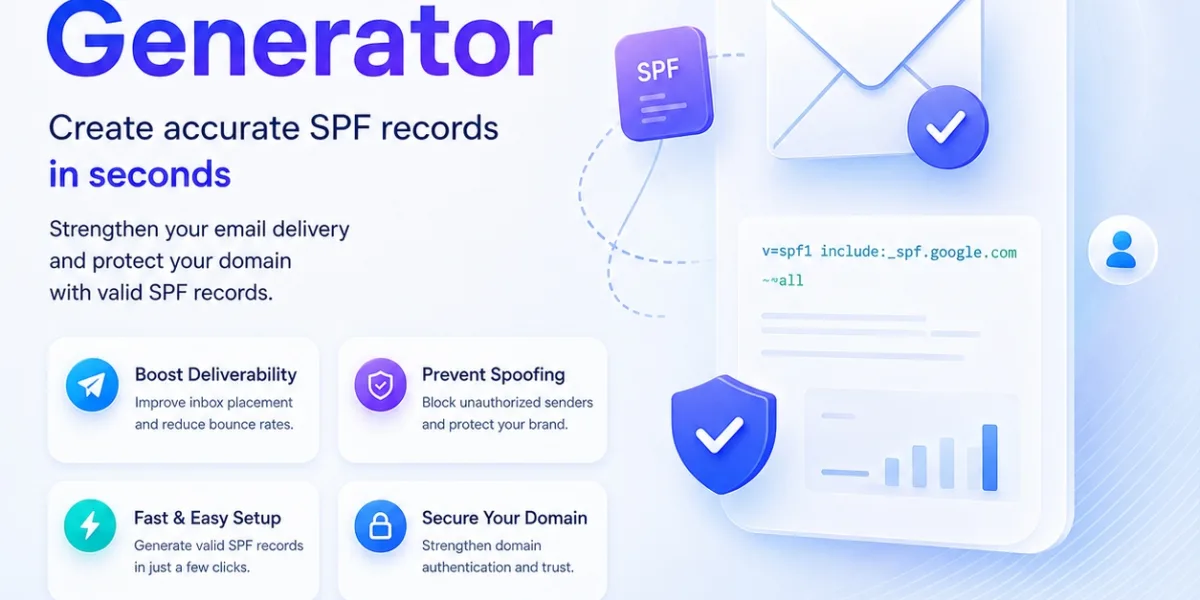
Professional SPF Configuration Starts with the Right Record
Email authentication begins with knowing which systems are authorised to send messages on behalf of your domain. An SPF Record Generator helps domain owners create a structured Sender Policy Framework record without manually building every part of the DNS syntax. SPF is published as a TXT record in the Domain Name System and identifies the servers, IP addresses, or third-party services permitted to send email for a particular domain. When a receiving mail server receives a message, it can check the SPF policy associated with the envelope sender domain and compare it with the sending server. This makes correct configuration important for businesses using services such as Google Workspace, Microsoft 365, transactional email platforms, CRMs, support systems, or marketing applications. A poorly constructed record may accidentally exclude a legitimate sender or introduce unnecessary DNS lookups. Tools available through Dev Boxy can make the configuration process easier to understand, but domain owners should still know which services genuinely need permission before publishing any SPF policy.
Is an SPF Generator Enough to Protect Your Email Domain?
Can an SPF Generator solve every email authentication problem on its own? No, because SPF is only one part of a wider email authentication setup. It tells receiving systems which servers are authorised to send using a particular envelope sender domain, but it does not independently confirm the message content or guarantee that a message will reach the inbox. SPF is commonly used alongside DKIM, which adds a cryptographic signature to email, and DMARC, which evaluates authentication and domain alignment while allowing domain owners to define a policy. This distinction matters because a technically valid SPF record can still be incomplete if a legitimate sending platform has been left out. Problems can also appear when organisations add multiple services over time without reviewing the existing record. Publishing more than one SPF record for the same domain can create validation problems, so authorised sources normally need to be combined into a single policy. Understanding what the record contains is therefore just as important as generating the syntax.
Generate SPF Record Settings Based on Real Sending Sources
Before you Generate SPF Record settings, make a clear inventory of every service that legitimately sends email for your domain. This may include your primary mailbox provider, website application, billing platform, customer-support system, CRM, newsletter service, or another approved sender. SPF policies can use mechanisms such as ip4, ip6, a, mx, and include to define authorised sources. The include mechanism is particularly common when another email provider publishes and maintains its own SPF policy. However, unnecessary includes should not be added simply because a service exists in your technology stack. Only systems that actually send using the relevant domain need to be considered. SPF processing also has a limit on DNS-querying mechanisms during evaluation, which means overly complicated records can fail even when the syntax appears correct. After building the policy, review every mechanism and remove outdated services. A clean SPF record is easier to maintain, easier to troubleshoot, and less likely to create authentication errors after your email infrastructure changes.
When Should You Create SPF Record Settings for a Domain?
When should you create SPF Record settings rather than leaving the domain without a policy? A new business domain should be configured when it begins sending email, while an existing domain should be reviewed whenever the organisation adds or removes a sending service. Moving from one mailbox provider to another, connecting a CRM, launching transactional email, or changing marketing platforms can all require an SPF update. It is also worth reviewing the record when legitimate messages unexpectedly start failing authentication. Before making changes, check the existing TXT records so you do not accidentally publish a second SPF policy. Then identify the new authorised sender and follow the provider's documented SPF requirements. Once the updated record is published, allow for DNS propagation and verify that the live value is the one you intended to publish. Authentication results can also be checked through email headers after sending a test message. This process gives you stronger evidence that the configuration is working instead of assuming that publishing the record automatically completed the setup correctly.
Helpful SPF Practices Make Email Authentication Easier
SPF works best when it is treated as maintained infrastructure rather than a record that is created once and forgotten. Businesses change email platforms, employees adopt new SaaS tools, websites move between providers, and old sending services are retired. Each change can leave unnecessary mechanisms inside an SPF policy. Regular reviews keep the record aligned with the organisation's actual sending environment. Administrators should also understand the qualifier at the end of the policy. Common examples include all, which indicates that non-authorised sources should fail SPF, and ~all, which represents a softer failure position. The appropriate configuration depends on the domain's current sending environment and should not be copied blindly from another website. SPF is also most effective when supported by properly configured DKIM and DMARC. Together, these controls provide receiving systems with more useful authentication signals and give domain owners better visibility into how their email infrastructure is being used.
Helpful Content: Five Easy SPF Lessons
- Check every platform that sends email using your domain before building the record, so legitimate sending systems are not accidentally excluded.
- Keep one valid SPF policy for a domain rather than creating separate SPF records for different email providers.
- Remove old providers and unnecessary mechanisms when they are no longer authorised to send messages for your organisation.
- Test the published DNS record after making changes and review authentication results from a real test email where possible.
- Review SPF together with DKIM and DMARC because reliable email authentication depends on more than one DNS record.
Conclusion
The best SPF configuration is not necessarily the longest or most complicated record. Quality comes from accurately representing the services that are genuinely authorised to send email for your domain and keeping that information current as your infrastructure changes. A useful SPF setup should be understandable enough for an administrator to review, technically valid, and free from unnecessary mechanisms that increase complexity. Businesses should document the platforms included in the policy so future changes do not become guesswork. When a new email service is introduced, verify whether it actually needs SPF authorisation before editing DNS. When a service is retired, remove its entry rather than allowing outdated permissions to remain indefinitely. SPF should also be considered part of a broader authentication strategy alongside DKIM and DMARC instead of being treated as an inbox-placement guarantee. With careful configuration, testing, and periodic maintenance, organisations can build a cleaner email authentication foundation and reduce avoidable problems caused by incomplete or outdated sender policies.
FAQs
1. What is an SPF Record Generator?
An SPF Record Generator is a tool that helps you build the TXT record used to identify authorised email-sending sources for a domain. It simplifies SPF syntax while allowing you to specify relevant providers, servers, and IP addresses.
2. How does an SPF Generator work?
An SPF Generator takes information about your authorised sending sources and converts it into an SPF policy that can be published as a DNS TXT record. You should still review the generated record before adding it to your DNS configuration.
3. How do I Generate SPF Record settings correctly?
To Generate SPF Record settings correctly, identify every legitimate service that sends email for your domain, add only the required mechanisms, review provider documentation, and test the published record after updating DNS.
4. When should I create SPF Record settings?
You should Create SPF Record settings when a domain begins sending email or when an existing domain does not yet have a valid SPF policy. Review the record again whenever you add, remove, or change an email-sending provider.
5. Can SPF alone guarantee that my emails reach the inbox?
No. SPF helps receiving systems authenticate sending sources, but inbox placement also depends on DKIM, DMARC, sender reputation, message quality, recipient engagement, complaint levels, and mailbox-provider filtering.


