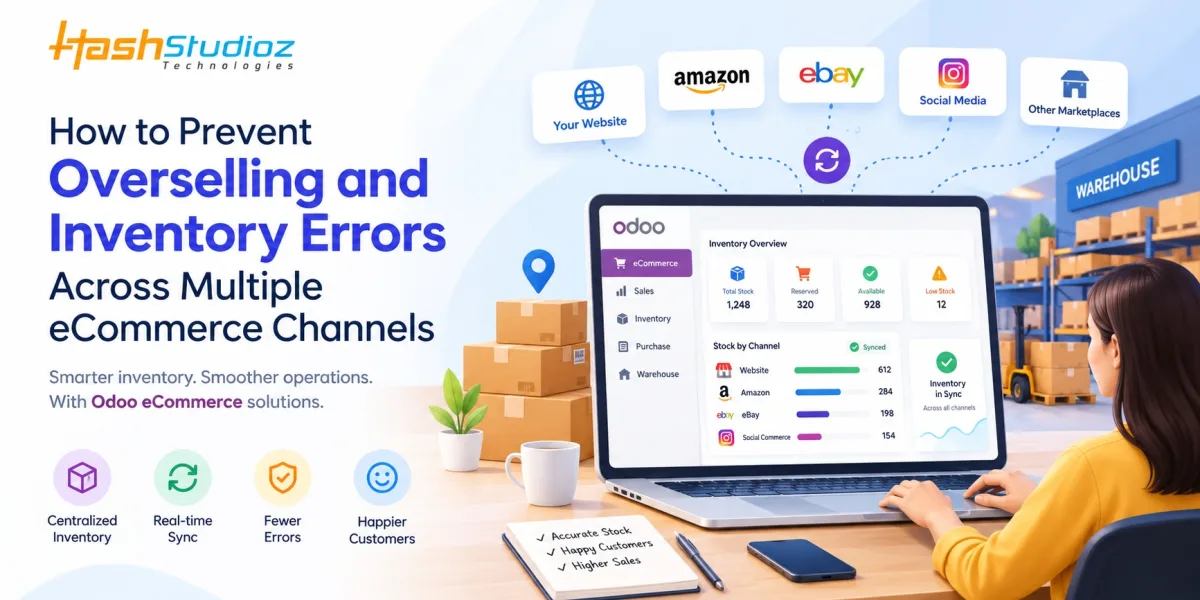
Managing inventory across multiple eCommerce channels can be challenging for growing online businesses. When products are listed on a company website, online marketplaces, social commerce platforms, and other sales channels, keeping stock levels accurate becomes increasingly complex. A product sold on one channel may still appear available on another, leading to overselling, order cancellations, delayed deliveries, and frustrated customers.
These challenges often arise when businesses rely on disconnected systems, manual stock updates, or spreadsheets to manage inventory. As order volumes grow, these methods become less reliable and can create costly operational inefficiencies.
The solution lies in establishing a centralized inventory management process that keeps stock information consistent across sales channels. With the right Odoo eCommerce implementation, businesses can connect their online stores with inventory, sales, warehouse, and order management workflows to improve stock visibility and reduce errors.
In this guide, we will explore the common causes of overselling, practical strategies to prevent inventory discrepancies, and how Odoo eCommerce solutions can help businesses build a more reliable, scalable multichannel selling process.
What Is Overselling in eCommerce?
Overselling occurs when a business accepts more orders for a product than it can fulfill with its available inventory. This usually happens when stock information is not updated quickly enough across multiple sales channels.
For example, imagine an online retailer has 20 units of a wireless router in stock. The product is listed on its website and two online marketplaces. If all three channels show the same inventory availability without synchronizing sales, each channel might accept orders for 20 units.
If customers purchase 12 units from the website, 8 from one marketplace, and 5 from another, the retailer receives orders for 25 units despite having only 20 available.
The result may include canceled orders, refunds, delayed shipments, additional customer support requests, and potential damage to the company's reputation.
Overselling is not just a stock management issue. It is a business process problem that affects customer experience, profitability, and operational efficiency.
Common Causes of Multichannel Inventory Errors
Before implementing a solution, businesses need to understand why inventory discrepancies occur in the first place.
1. Disconnected Sales Channels
When an eCommerce website, marketplace accounts, and warehouse systems operate independently, each platform may maintain its own stock records. Updating inventory on one platform does not necessarily update the others.
This creates inconsistencies between actual stock and the quantities displayed to customers.
2. Manual Inventory Updates
Manually adjusting inventory after every sale increases the likelihood of human error. Employees may forget to update a listing, enter an incorrect quantity, or delay recording a return.
These small mistakes can accumulate as order volumes increase.
3. Delayed Stock Synchronization
Even businesses using integrations can experience inventory problems if synchronization happens only at scheduled intervals.
For example, if stock updates every 15 minutes, several customers could purchase the same remaining item before the updated quantity reaches every connected channel.
4. Poor Warehouse Visibility
Businesses operating multiple warehouses or storage locations may struggle to determine where inventory is available and whether it can be allocated to a particular order.
Without accurate warehouse-level information, a product may appear available even when the stock is reserved, damaged, misplaced, or located in a warehouse that cannot fulfill the order.
5. Inaccurate Returns and Stock Adjustments
Returned products, damaged items, quality-control holds, and canceled orders must be handled correctly. If returned goods are immediately added back to sellable inventory without inspection, customers may purchase products that are not ready for resale.
Likewise, failing to restore stock after an eligible cancellation can make available inventory appear lower than it actually is.
Practical Ways to Prevent Overselling Across Multiple eCommerce Channels
Preventing inventory errors requires a combination of reliable technology, clear processes, and regular monitoring. The following strategies can help businesses maintain accurate stock levels while selling through multiple channels.
1. Centralize Inventory Management
The first step is to create a single, reliable source of inventory information.
Instead of managing separate stock records for every channel, businesses should maintain centralized inventory records that connected systems can reference and update.
A centralized system helps teams track:
- Current stock quantities.
- Reserved and committed inventory.
- Incoming purchase orders.
- Warehouse-level stock availability.
- Product returns and stock adjustments.
- Inventory allocated to customer orders.
For example, if a retailer sells 10 units of a product through its website, the central inventory system should record the transaction and make the updated availability available to other connected sales channels.
Actionable tip: Choose an inventory management platform that supports your existing sales channels and can integrate with your order processing and warehouse workflows.
2. Synchronize Inventory Across All Sales Channels
Centralized inventory is most effective when stock updates reach connected channels promptly.
When a customer places an order, the system should update the relevant inventory records and synchronize available quantities with other sales platforms. The speed and reliability of this process depend on the integrations, APIs, synchronization settings, and channel capabilities involved.
Businesses should evaluate whether their integrations support event-driven updates, frequent synchronization, order imports, cancellation handling, and error notifications.
Practical example: A retailer has 50 units of a product available. A customer orders five units through the website. After the order is processed, the inventory system updates the available quantity to reflect the sale, and the connected marketplaces receive the appropriate stock update.
Actionable tip: Test how your integrations handle simultaneous orders, failed updates, API limits, and temporary connection failures before relying on them in production.
3. Distinguish Physical Stock From Available Stock
One of the most common inventory management mistakes is treating all physical inventory as available for sale.
In reality, some products may already be reserved for customer orders, awaiting quality inspection, damaged, or otherwise unavailable.
A more reliable approach is to calculate sellable inventory using a clear inventory allocation policy.
For example:
Available stock = Sellable on-hand stock − Reserved stock − Safety stock
Incoming inventory may be included only when the business has a defined policy for accepting orders against expected replenishment.
Suppose a warehouse contains 100 units, 20 units are reserved for existing orders, and the business maintains a safety buffer of five units. The quantity available for new sales would be 75 units.
Actionable tip: Define how reservations, backorders, safety stock, damaged goods, and incoming shipments affect availability. Apply these rules consistently across every sales channel.
4. Implement Safety Stock for High-Demand Products
Even well-integrated systems can experience synchronization delays or unexpected demand spikes. Safety stock helps reduce the risk of selling every physical unit before all channels reflect the latest inventory.
Businesses can maintain a small inventory buffer for fast-selling products, seasonal items, and products with unpredictable demand.
For example, a retailer with 200 units of a popular accessory might reserve 10 units as a buffer during a major promotional campaign.
The appropriate buffer depends on sales velocity, replenishment lead times, supplier reliability, and the business's tolerance for stockouts.
Actionable tip: Review safety stock levels regularly instead of applying the same percentage to every product. High-demand and long-lead-time products may require different policies.
5. Automate Order Processing and Stock Reservations
Manual order processing creates delays between receiving an order and updating inventory. Automated workflows can reduce this gap by recording orders, reserving stock, and initiating fulfillment activities according to predefined business rules.
A well-designed process should define what happens when an order is placed, paid, canceled, partially fulfilled, or returned.
For example, when a customer purchases three units of a product, the system can reserve the required quantity for that order. If the order is later canceled, the reservation can be released according to the configured workflow.
Actionable tip: Establish clear rules for when inventory is reserved and when it becomes available again. Test partial shipments, payment failures, and cancellations to prevent stock from being counted twice or released incorrectly.
6. Integrate Warehouse Operations With eCommerce
Inventory accuracy depends on what happens inside the warehouse as well as what appears on the storefront.
Picking, packing, receiving, transferring, and shipping products all affect stock availability. If these activities are not recorded promptly, the eCommerce system may display inaccurate quantities.
An integrated warehouse workflow can help businesses track product movements, assign stock to orders, and maintain visibility across multiple storage locations.
For instance, a business with warehouses in Delhi and Mumbai may need to determine whether an order can be fulfilled from either location based on available stock, shipping rules, and delivery requirements.
Actionable tip: Establish standardized procedures for receiving goods, processing transfers, recording damaged stock, and confirming shipments. Use barcode scanning where appropriate to reduce manual entry errors.
7. Automate Reordering and Low-Stock Alerts
Inventory accuracy is not only about preventing overselling. Businesses must also replenish products before they run out.
Low-stock alerts and automated replenishment rules can help purchasing teams identify products that require attention.
A reorder point can be calculated using expected demand during supplier lead time and an appropriate safety buffer.
For example, if a product sells approximately 10 units per day and replenishment takes seven days, expected demand during lead time is 70 units. The business may set its reorder point above that level to account for demand fluctuations.
Actionable tip: Review supplier lead times, sales trends, minimum order quantities, and seasonal demand when configuring replenishment rules.
8. Conduct Regular Inventory Reconciliation
Even with automation, physical stock and system records may occasionally differ because of damaged goods, misplaced products, receiving mistakes, or unrecorded transactions.
Regular inventory reconciliation helps identify and correct these discrepancies before they affect customer orders.
Businesses can use cycle counting to verify selected products or warehouse locations on a recurring schedule rather than counting every item at once.
High-value, fast-moving, and frequently mismatched products should receive more attention.
Actionable tip: Investigate recurring discrepancies instead of simply adjusting the recorded quantity. Identifying the root cause helps prevent the same issue from happening again.
9. Monitor Inventory Performance Metrics
Businesses should measure inventory accuracy rather than assuming their processes are working correctly.
Useful metrics include:
- Inventory accuracy rate: The percentage of checked inventory records that match physical stock within the defined tolerance.
- Overselling rate: The proportion of orders that cannot be fulfilled because of insufficient inventory.
- Stockout rate: The frequency with which products become unavailable when customers want to purchase them.
- Order cancellation rate: The proportion of orders canceled because of stock availability problems.
- Inventory turnover: How frequently inventory is sold and replenished over a period.
Actionable tip: Review these metrics regularly and investigate unusual changes by product, warehouse, sales channel, and integration.
10. Test Integration Failures and Peak-Demand Scenarios
A multichannel inventory system should be tested under realistic conditions before major promotions or seasonal sales.
Testing should include simultaneous orders for the final unit, delayed stock updates, disconnected sales channels, duplicate order imports, canceled orders, and partial returns.
For example, if two customers attempt to purchase the last unit through different channels at nearly the same time, the business needs to understand how its inventory and order-processing systems handle the competing requests.
A centralized database alone does not guarantee that two separate channels cannot sell the same unit. The complete integration and order-allocation process must be designed and tested to minimize this risk.
Actionable tip: Create a pre-launch checklist for every new channel integration and repeat critical tests before high-volume campaigns.
How Odoo eCommerce Implementation Helps Prevent Inventory Errors
For businesses selling through multiple channels, managing inventory manually becomes increasingly difficult as product catalogs, order volumes, and warehouse operations grow.
Odoo eCommerce implementation helps businesses integrate online sales with inventory management, sales processing, purchasing, and warehouse operations within a unified business management system.
By configuring the relevant Odoo applications and integrating external sales channels where required, businesses can streamline inventory workflows, improve stock visibility, and reduce manual errors.
1. Centralized Inventory Visibility
Odoo Inventory helps businesses manage product quantities and stock movements across configured warehouses and locations.
When integrated with Odoo eCommerce and sales workflows, this visibility can help teams make more informed decisions about product availability, fulfillment, and replenishment.
For example, a business selling electronic accessories through its online store can use centralized stock records to track product quantities and manage orders without relying exclusively on separate spreadsheets.
2. Real-Time Inventory Updates Within Configured Workflows
Odoo can update inventory as relevant transactions and warehouse operations are processed. Depending on the configuration, businesses can manage reservations, deliveries, receipts, and stock transfers through connected workflows.
However, external marketplaces and third-party storefronts may require additional connectors or custom integrations to synchronize inventory quantities and orders.
For this reason, businesses should evaluate integration capabilities, update frequency, failure recovery, and order synchronization requirements during implementation.
3. Automated Sales and Fulfillment Processes
Odoo can connect sales orders with inventory reservations, delivery operations, and invoicing workflows.
This integration reduces the need to manually transfer order information between disconnected systems and helps teams maintain a more consistent view of order status.
For instance, when an order is confirmed, the configured workflow can reserve available products and initiate the appropriate fulfillment steps.
4. Multi-Warehouse Inventory Management
Businesses operating multiple warehouses can use Odoo Inventory to organize stock by warehouse and location, manage transfers, and coordinate fulfillment processes.
This is particularly useful for retailers that serve customers across different regions.
For example, a business with warehouses in Delhi, Mumbai, and Bengaluru can structure its inventory operations to help determine where products are stored and how orders should be fulfilled.
The exact availability displayed to customers will depend on the configured stock rules, delivery routes, reservation policies, and integrations.
5. Replenishment and Procurement Support
Odoo supports replenishment workflows that help businesses respond to changing stock levels and purchasing requirements.
Depending on the configuration, reordering rules can help identify when products need replenishment and support the creation of procurement activities.
This helps reduce the likelihood of stockouts caused by delayed purchasing decisions.
6. Inventory Reporting and Operational Insights
Odoo provides inventory and operational reporting capabilities that can help businesses analyze stock movements, product availability, and warehouse performance.
With the appropriate reporting setup, managers can identify recurring discrepancies, investigate fulfillment delays, and make better-informed replenishment decisions.
These insights can support continuous improvements in multichannel inventory management.
Best Practices for a Successful Odoo eCommerce Implementation
Selecting the right software is only one part of preventing overselling. The implementation process must reflect the actual needs of the business.
Audit Existing Inventory Processes
Before implementation, review current sales channels, warehouse locations, stock update procedures, returns policies, and order fulfillment workflows.
Document where duplicate data entry occurs and identify the systems responsible for maintaining inventory records.
Clean and Standardize Product Data
Ensure that product names, SKUs, barcodes, variants, units of measure, and warehouse records are consistent.
Duplicate SKUs and mismatched product identifiers can cause synchronization errors, incorrect stock deductions, and fulfillment mistakes.
Define Inventory Allocation Rules
Establish how stock should be reserved, allocated, and released when orders are placed, canceled, or partially fulfilled.
Decide whether each channel should access the full available inventory or receive a channel-specific allocation.
Select the Right Integration Approach
Determine whether standard connectors can support your requirements or whether third-party integrations and custom development are necessary.
Confirm how the integration handles product updates, order imports, inventory synchronization, API failures, and duplicate transactions.
Test Before Going Live
Test the complete process from order placement to stock reservation, picking, shipping, cancellation, and return handling.
Include scenarios involving simultaneous purchases, low stock, multiple warehouses, and temporarily unavailable integrations.
Train Employees and Monitor Results
Provide training for sales, warehouse, purchasing, and customer support teams.
After launch, monitor overselling incidents, inventory discrepancies, failed synchronization events, and order cancellations. Use these findings to refine workflows and integration settings.
Common Mistakes to Avoid During Implementation
Even a well-designed inventory system can produce inaccurate results if the underlying processes are poorly configured.
Avoid these common mistakes:
- Assuming every integration provides instant synchronization: Confirm actual update behavior and test its reliability.
- Treating reserved stock as freely available: Establish clear rules for committed and sellable inventory.
- Ignoring failed synchronization events: Configure monitoring and procedures for retrying or resolving failed updates.
- Using inconsistent product identifiers: Maintain standardized SKUs and variant records across channels.
- Overlooking returns and cancellations: Define when stock should be restored and under what conditions.
- Skipping inventory reconciliation: Compare system records with physical stock regularly.
- Ignoring peak-demand scenarios: Test simultaneous orders and promotional traffic before major campaigns.
A successful implementation combines accurate data, well-defined business rules, reliable integrations, and ongoing operational monitoring.
Conclusion
Overselling and inventory errors can create unnecessary costs, disrupt fulfillment operations, and weaken customer trust. As businesses expand across online stores, marketplaces, and other digital sales channels, manual stock management becomes increasingly difficult to maintain.
The most effective approach combines centralized inventory management, reliable synchronization, automated order processing, accurate warehouse records, safety stock policies, and regular inventory reconciliation.
With a well-planned Odoo eCommerce implementation, businesses can connect essential sales and inventory workflows, improve stock visibility, and establish a stronger foundation for multichannel operations. The right integration strategy and configuration are essential to ensure that inventory information remains consistent across connected platforms.
For businesses seeking to reduce manual work and improve operational efficiency, investing in Odoo eCommerce solutions can be a practical step toward more reliable inventory management, better fulfillment processes, and a smoother customer experience.